Your Complete Guide to the Flower Bundle Floral SVG Botanic Set
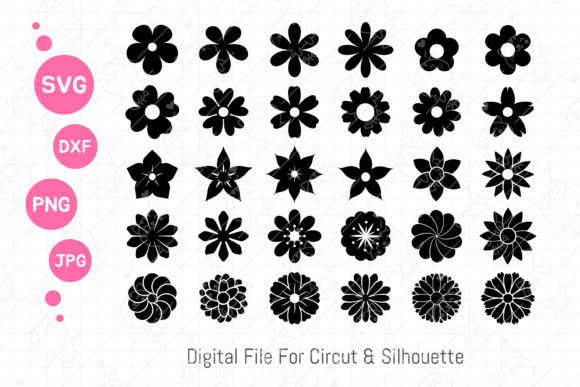
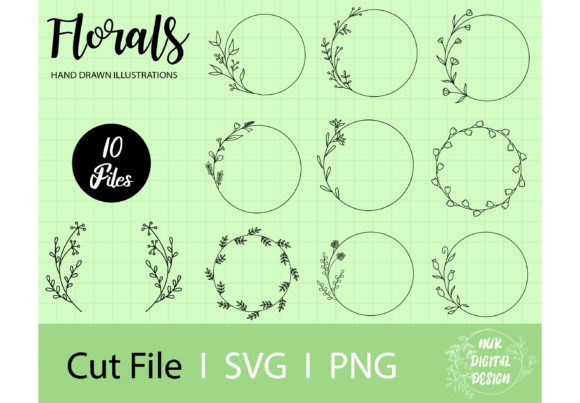
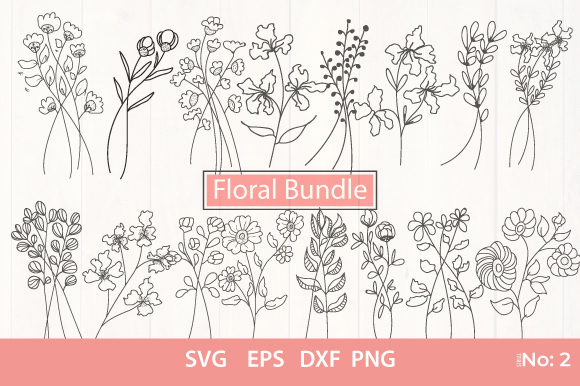
In the world of digital design, having a versatile and high-quality asset library is like possessing a master key. The Flower Bundle Floral SVG Botanic set, which includes 16 distinct botanical designs across multiple file formats (SVG, EPS, DXF, and PNG), represents such a key for a vast array of creative projects. From wedding invitations to custom apparel, printable decorations to commercial stickers, its potential applications are nearly limitless. However, the sheer accessibility and promise of a bundle like this can lead to rushed decisions and overlooked details that ultimately hinder your creative process and final output.
Understanding File Formats: Beyond Just "Having the Files"
A common initial mistake is downloading the Flower Bundle Floral SVG Botanic and focusing only on the PNG files because they seem easiest to use. While PNGs are ready-to-use raster images, they have fixed resolutions. Using a PNG for a large-format print, like a wedding backdrop, can result in pixelated, blurry outcomes that degrade your project's professionalism. The true power of this bundle lies in the vector files: SVG and EPS.
Vector files are mathematically defined paths, meaning they can be scaled to any size—from a tiny sticker to a massive banner—without any loss of quality. The DXF file is also a vector format, particularly useful for CNC machines and laser cutters. Neglecting to learn the basics of your software's vector import functions is a critical oversight. Before you begin, open your design program (like Adobe Illustrator, Inkscape, or CorelDRAW) and practice importing an SVG. Check that layers are intact and paths are editable. This simple step ensures you can truly customize the designs, changing colors, combining elements, or removing parts to suit your unique vision, rather than being stuck with a static image.
Application Missteps: Matching the Design to the Medium
Another frequent misunderstanding is applying a design intended for one medium to another without adjustment. For instance, a complex, intricate floral pattern from the Flower Bundle Floral SVG Botanic might be breathtaking on a digital invitation. However, if you plan to use it for clothes printing, like on a t-shirt, that same complexity could be problematic. Dense designs with thin lines may not translate well to fabric heat transfer or screen printing, where details can bleed or become indistinct.
A better approach is to evaluate your end medium first. For fabric, consider simplifying the design within your vector editor—using thicker lines or selecting a less dense floral element from the bundle. For physical stickers or scrapbooking, the high-resolution PNGs might be perfectly suitable if the print size is small. Always test a sample print. This practice prevents wasted materials and ensures the botanical beauty of the designs is presented as intended.
The Pitfall of Underestimating Licensing and Commercial Use
Many creators, especially entrepreneurs and small business owners, excitedly use such bundles for commercial products without verifying the licensing terms. While many floral SVG bundles are offered under commercial licenses, it is an essential detail you must confirm before sale. Assume nothing. Look for the license documentation provided with the Flower Bundle Floral SVG Botanic download. Does it allow unlimited commercial sales of products featuring the designs? Are there any restrictions, such as not allowing the resale of the digital files themselves? Clarifying this protects your business from legal complications and upholds ethical design practices.
Furthermore, a related oversight is not considering originality when using widely available bundles. If you are creating wedding invitations for a client, using a popular floral SVG design without any customization might result in invitations that look generic or similar to others. To avoid this, use the vector files to modify the designs. Combine two floral elements from the bundle, alter the color palette to match the wedding theme, or add custom text integrated within the artwork. This transforms a template into a unique, client-specific creation, enhancing your service's value and satisfaction.
Technical Checks Before Commitment
Before finalizing a purchase or diving into a project, perform a few technical checks. First, ensure your software compatibility. The EPS file is a standard in professional print environments, but some free software might handle it differently than the SVG. Open a sample file to confirm. Second, examine the design layers. A well-prepared Flower Bundle Floral SVG Botanic should have logically grouped or layered elements, allowing you to isolate a single flower or leaf. If the files are flattened into a single layer, customization becomes much harder. Third, consider the design scope. Do the 16 designs offer the stylistic variety you need—perhaps a mix of outlines, full illustrations, and geometric botanics? A bundle lacking in variety might limit your project range, forcing you to source additional assets later.
Also, think about file management. Immediately upon downloading, organize the files. Create folders for each format or project type. Label them clearly. The chaos of unorganized digital assets leads to frustration, wasted time searching for the right file, and the potential for using a low-resolution PNG when you needed an SVG. Good habits established at the start improve efficiency and creative flow.
Achieving Professional Results with Practical Adjustments
The final common area of error lies in the production stage, particularly with color and material choices. A vibrant floral design from the bundle might look stunning on your screen. However, printing it on a textured craft paper for a scrapbooking project can dull colors and obscure fine lines. Similarly, using metallic vinyl for a sticker from a design with subtle gradients may not yield the expected effect.
To avoid these disappointments, research your materials. Consult with your printer or vinyl supplier about how vector designs translate to their specific medium. Adjust your digital design accordingly—simplifying color counts for vinyl or increasing contrast for certain papers. For printable decorations, always select a paper stock that is tested for color vibrancy and detail. This material-conscious approach guarantees that the elegance of the Flower Bundle Floral SVG Botanic is faithfully reproduced in the physical world.
In essence, this floral SVG bundle is a powerful toolkit. Its value is maximized not by the download itself, but by your informed and thoughtful application of it. By understanding file formats, respecting licensing, customizing for uniqueness, performing pre-use checks, and aligning designs with physical materials, you elevate your projects from simple uses of a template to professional, distinctive creations. Whether you are a hobbyist making party decorations or a business owner branding a product line, these considerations turn a bundle of 16 files into an infinite resource for botanical-inspired beauty.